 bbstats.amStart free →
Onboarding: seasons, divisions & coaches
How youth leagues open age and gender championships, let coaches sign in at /coach, approve applications, and add one team plus roster per division.
01
Create season divisions
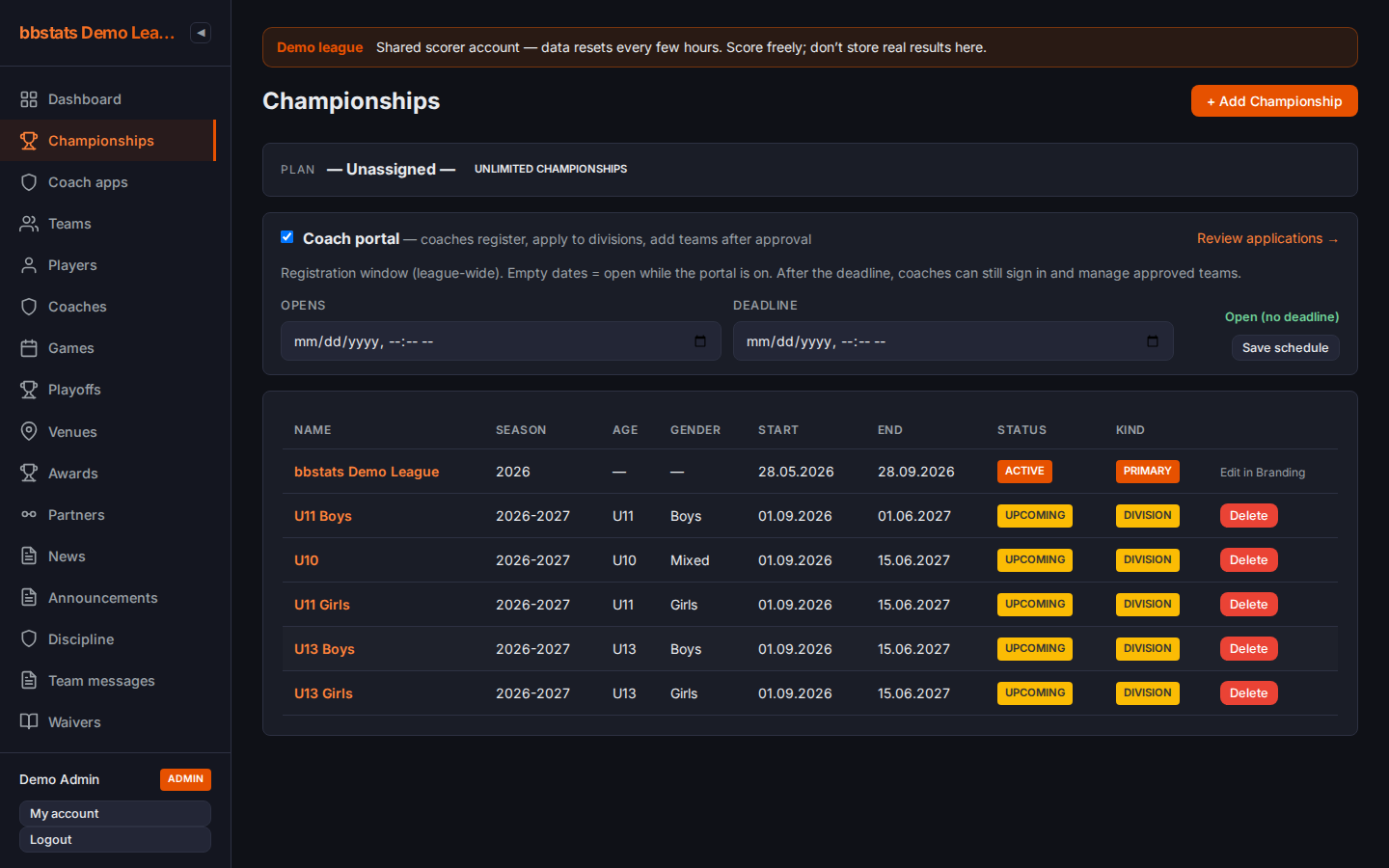
In Admin → Championships, add a row per age × gender for the season. Toggle Coach portal and set optional open / deadline dates.
02
Point coaches to Coach sign-in
The league header shows Coach sign-in. The URL is always /coach. Inside the portal, fan navigation hides; coaches return via League site.

03
Coach creates an account
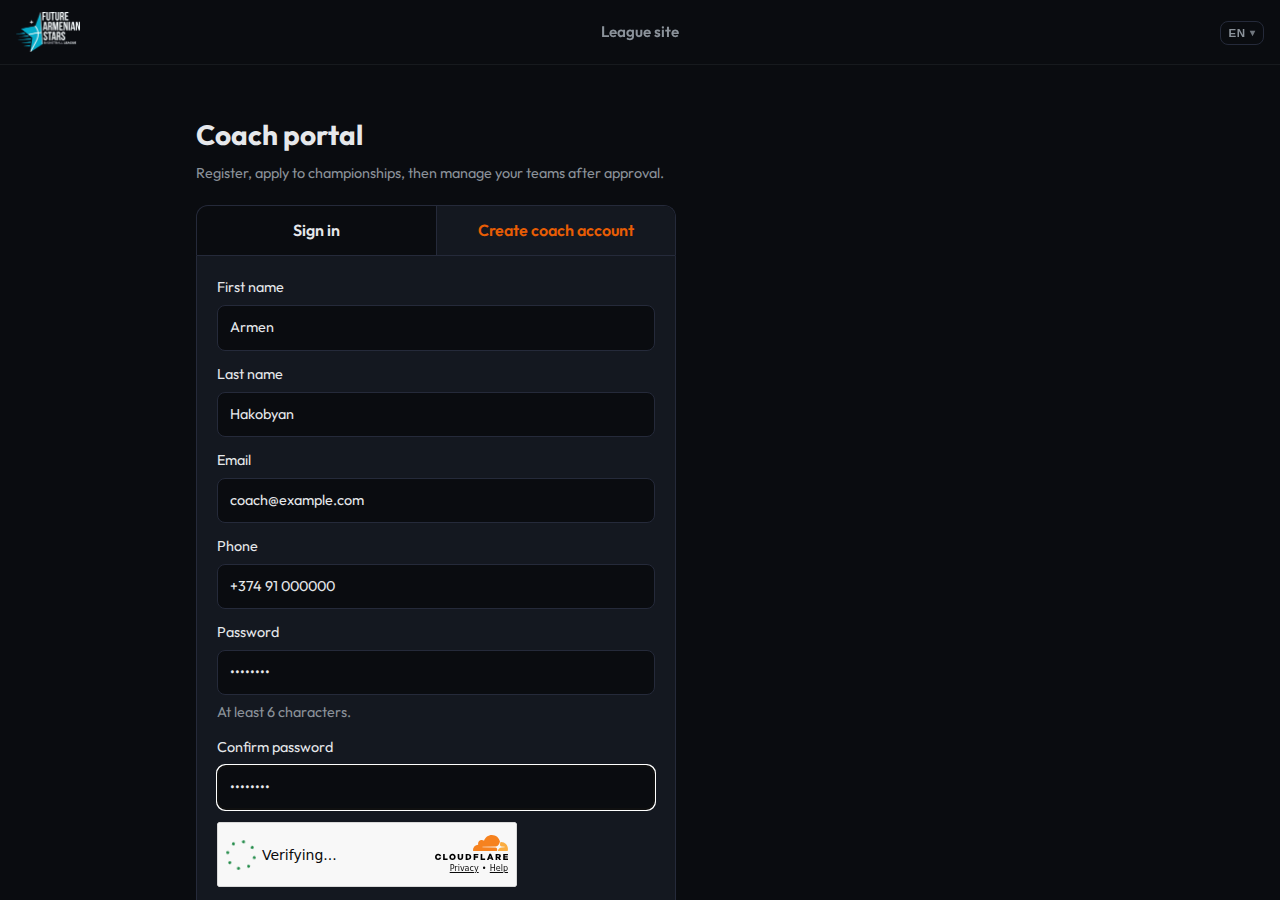
Sign in and Create account are tabs on one card. Registration asks for name, email, phone, password and confirm password. Forgot password sends a reset link.
04
Apply to championships
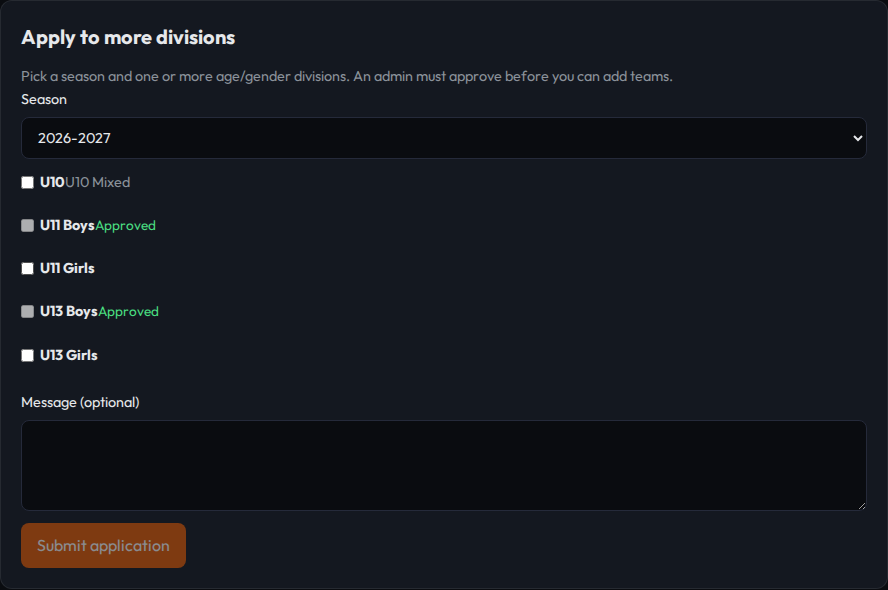
The coach picks a season and checks every division they want. One application covers several ages. Status stays pending until an admin acts.
05
Admin approves
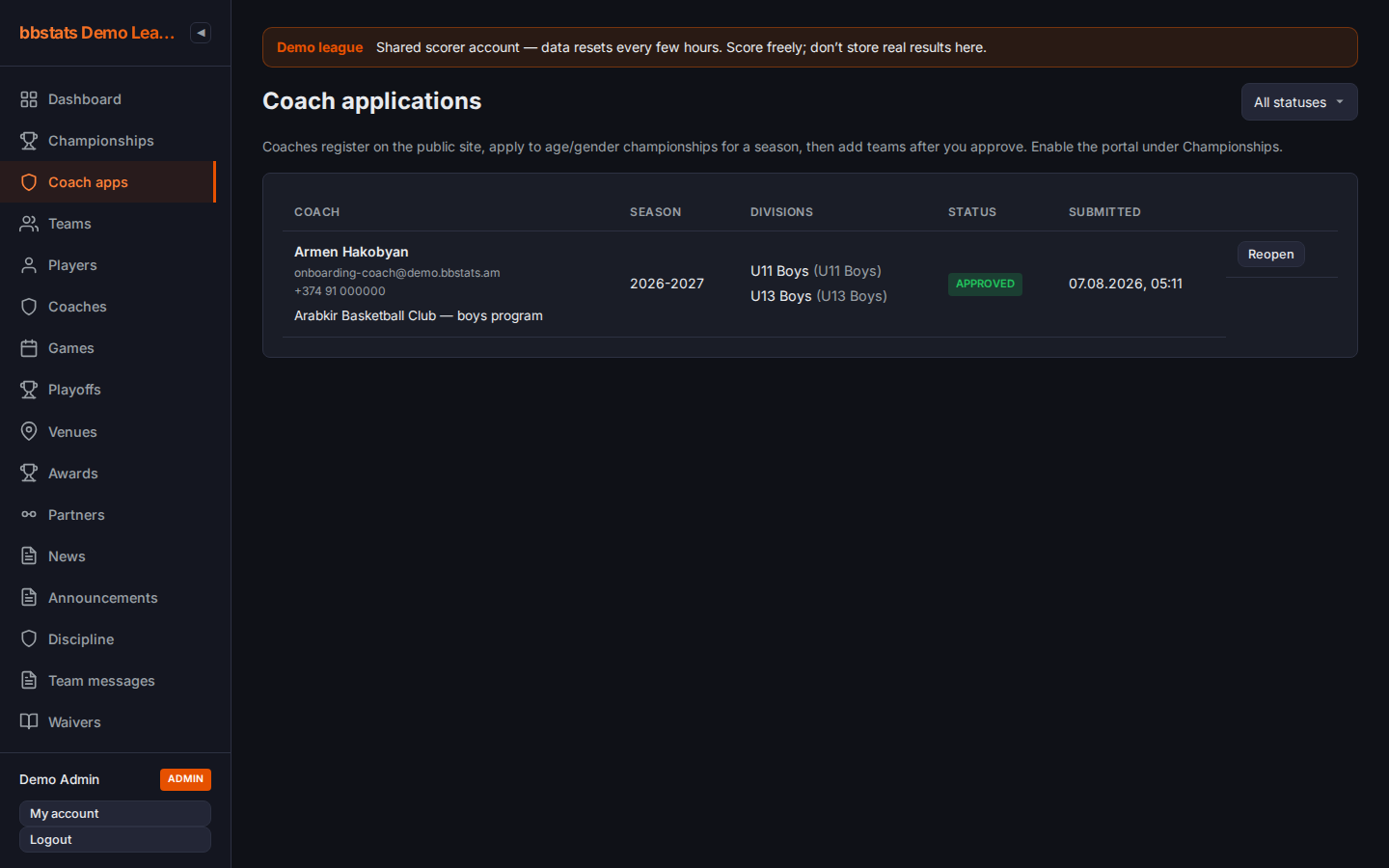
Admin → Coach apps: approve or reject. The coach is emailed either way. After approval they can create one team in each granted division.
06
One team per division
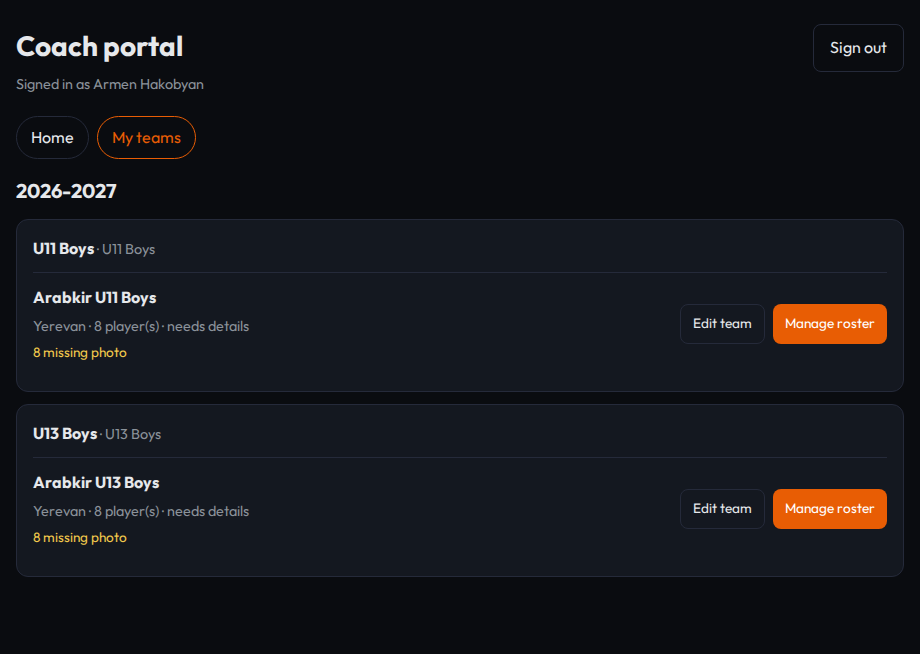
On My teams, each approved division is a card. Empty cards take a team name and city — the abbreviation is generated. Same club, different ages = separate teams.
07
Fill the roster
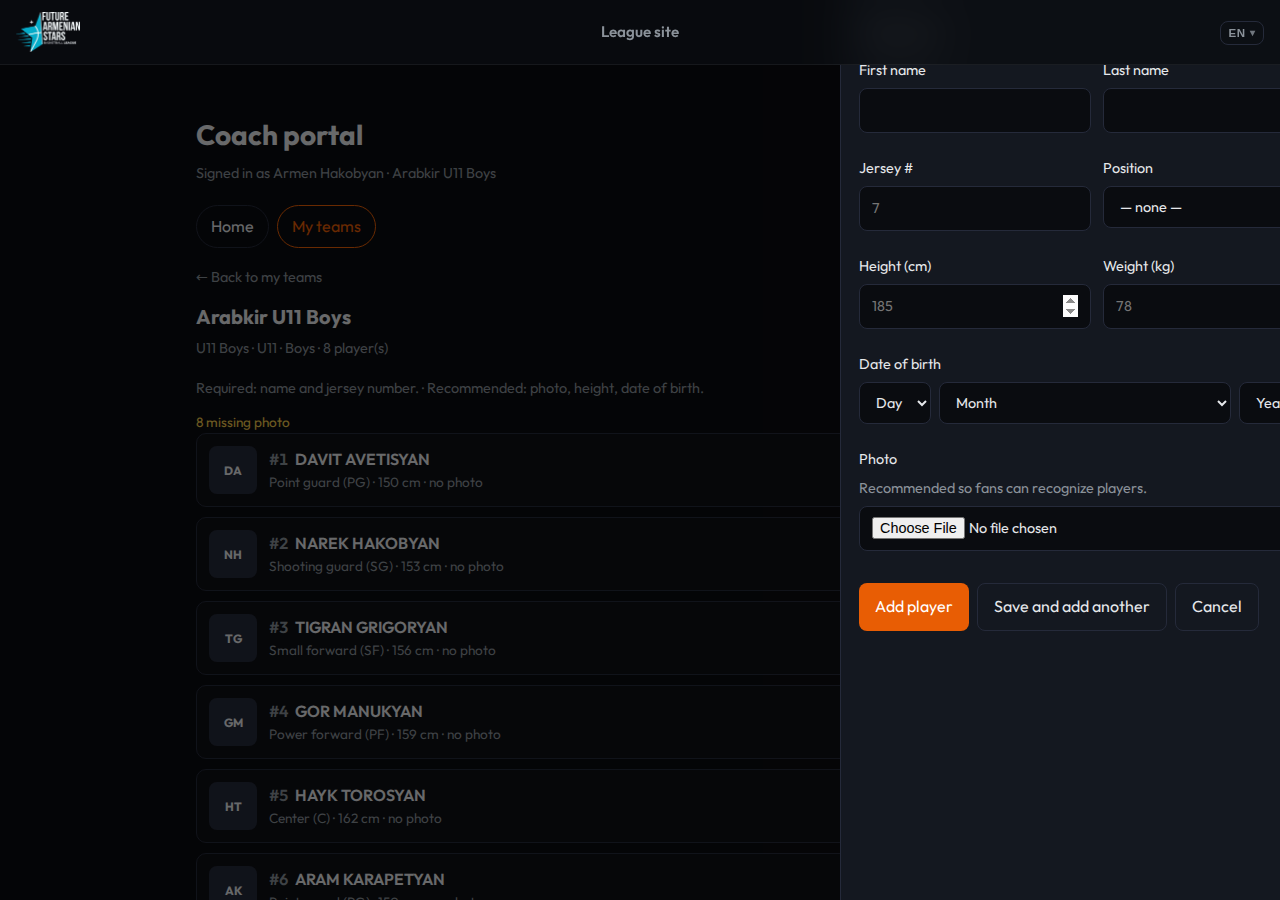
The player list stays visible. Add or edit opens a side drawer. Name and jersey are required; photo, height and date of birth are recommended. Save and add another keeps the drawer open.
Try the full flow on the demo league: demo.bbstats.am/coach.