
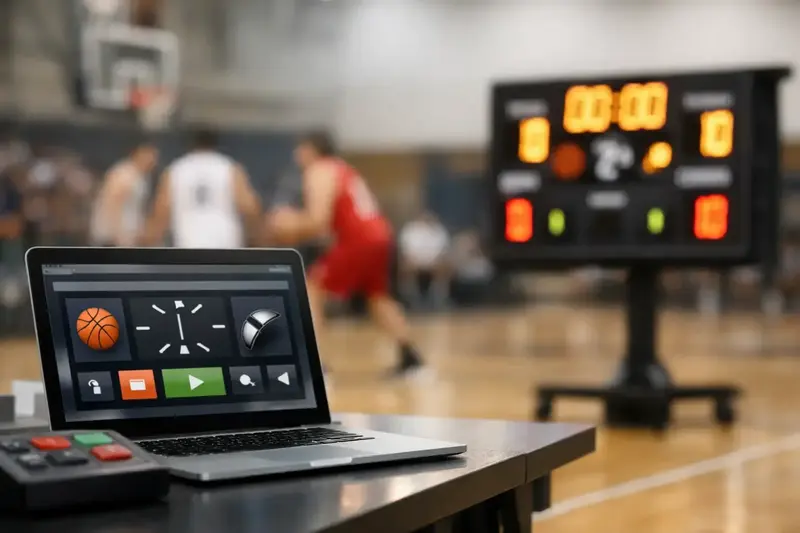
A two-point game with 18 seconds left is not the moment to reconcile three different versions of the truth. If the scoreboard clock, scorekeeper’s paper sheet, stream graphic, and public game page disagree, the issue is bigger than a missed button press. Basketball game clock software should give league staff one live operating record that controls timing, scoring, game events, and the information fans see.
For independent leagues, school competitions, tournaments, and club programs, the goal is not to imitate an NBA arena control room. It is to run each game accurately, publish it quickly, and retain a defensible record after the final horn. The right system reduces manual handoffs without making the scorer’s table harder to operate.
What Basketball Game Clock Software Should Control
A game clock is the visible center of a basketball game, but it cannot operate as an isolated timer. Every clock action affects the official game narrative. When a scorekeeper records a made field goal, foul, timeout, substitution, or period end, the platform should associate that event with the current game time and update the relevant score and statistics.
At minimum, basketball game clock software needs configurable period lengths, overtime rules, timeout tracking, possession indicators where applicable, and clear controls for starting, stopping, and correcting the clock. Leagues also need to accommodate different rule sets. A youth league may use running-clock conditions, while a regional adult league may follow FIBA-style periods and timeout allocation. Tournament operators may need short warm-up timers and tightly scheduled game turnover windows.
The important distinction is between a display timer and an operational clock. A display timer shows time remaining. An operational clock creates timestamped game events that feed the box score, play-by-play, score display, standings, and public game page.
Corrections must be deliberate, not destructive
Every scorer eventually encounters a late correction: a two-pointer entered as a three, a foul assigned to the wrong player, or a clock restart after an official ruling. Software should allow authorized staff to correct the event while preserving a coherent final record.
That does not mean every user should have unrestricted editing rights. A practical setup separates live scorekeeper access from league administrator controls. The scorekeeper can operate the game efficiently, while a commissioner or designated official can reconcile disputed entries after review. The final box score should reflect the approved record, not an untracked collection of edits.
From Table Input to Published Game Record
The strongest workflow begins before tipoff. Administrators create the competition, teams, rosters, schedule, venues, and rules in advance. On game day, the scorer opens the scheduled fixture instead of creating a new match record from scratch. Starting lineups, player eligibility, team names, and branding are already in place.
During the game, each table action should travel through a connected workflow. A made basket updates the score and player totals. A personal foul affects the player’s foul count. A timeout reduces the team’s available timeouts. At the horn, the game status moves to final and the public-facing result is ready without someone rekeying totals into a website or spreadsheet.
This is where fragmented tools create avoidable work. A basic timer app may be inexpensive, but it leaves staff to manually update a scoreboard, copy results into standings, prepare a box score, and notify followers elsewhere. That can work for an occasional pickup event. It becomes a recurring operational burden across a 10-week league or a multi-court tournament.
A connected platform such as bbstats.am can treat live scoring as the source for clocks, play-by-play, player statistics, standings, schedules, brackets, and a branded league site. The practical benefit is not simply more features. It is fewer separate records to maintain and fewer opportunities for the same game to be published differently in different places.
The Features That Matter After the Clock Starts
League operators should evaluate the surrounding workflow, not only the appearance of the clock screen. A useful system typically includes these connected capabilities:
- Live scorekeeping with period, overtime, timeout, foul, and player-event controls.
- Real-time play-by-play and box scores that publish as the scorer enters events.
- Automatic standings updates using the league’s configured win-loss and tiebreaker rules.
- Playoff brackets that advance winners and support formats such as best-of-3 series.
- Public game pages, team pages, schedules, and player statistics under league branding.
- Broadcast-ready overlays that can be used as OBS browser sources for score, clock, and game information.
Not every league needs every feature on day one. A four-team recreational league may prioritize accurate live scoring and a credible public schedule. A media-focused semi-professional competition may place equal weight on real-time stats, broadcast graphics, notifications, and custom branding. The advantage of a unified system is that the league can add those capabilities without rebuilding its data flow later.
Evaluate the Scorekeeper Experience First
Sophisticated functionality is wasted if a volunteer cannot operate it during a fast transition play. Ask to see the live scoring screen in use, not just a product dashboard. The scorer should be able to identify the active period, game clock, team score, foul situation, and recent events immediately.
Speed and clarity at the table
Good basketball clock software minimizes ambiguous choices. A scorer should not have to search through several menus to record a free throw or correct a player number. Common actions need large, clear controls, and the interface should make the current state obvious before an event is confirmed.
It also helps to consider the physical setting. Many leagues score from a folding table near the baseline with uneven Wi-Fi, crowd noise, and limited staffing. Assigning separate roles for clock operation and statistical entry may be appropriate for high-level games, while a smaller league may need one trained operator to handle both. Choose software that supports your actual staffing model rather than an idealized one.
Reliability means a recoverable record
Connectivity matters because live updates may use WebSocket event delivery to push changes to fan pages and overlays quickly. But operators should also ask what happens when a device refreshes, a scorer signs back in, or a venue connection drops. The game record needs to remain recoverable, with clear status handling and controlled resumption.
Data protection belongs in this conversation as well. League administrators should know how records are backed up, how long backups are retained, and who can access each tenant’s data. A multi-tenant platform should isolate each league’s operational data while still providing self-service administration for that league’s own staff.
Connect the Clock to Fans and Broadcasts
Fans no longer expect to wait until the next morning for a final score. Parents check results from the parking lot. Players share stat lines after the game. Supporters follow a close playoff series from another city. Live game information turns the official scoring workflow into a public service, provided it remains accurate.
The best approach is to publish from the same event stream used at the scorer’s table. When a score changes, the game page, live play-by-play, and browser-source overlay can reflect the update together. This avoids assigning one person to operate the clock while another manually updates social posts or broadcast graphics.
Branding also has operational value. A league with its own subdomain or custom domain, colors, logo, schedule, standings, and statistics presents a stable digital home rather than a collection of temporary posts. Automatic HTTPS and configurable visual identity are not substitutes for accurate scoring, but they help independent competitions look as organized as they operate.
Set Up a Pilot Before Opening Night
Do not make the first live game the first time anyone uses the scoring workflow. Run a short pilot with a sample fixture, full rosters, typical rules, and a realistic sequence of plays. Test a timeout, a substitution, a foul correction, an overtime period, and a finalization workflow. If the league streams games, open the OBS overlay and verify that the score and clock match the scoring screen.
Train scorekeepers on the few actions they will use most often, then give them a written escalation path for unusual situations. Decide who can make post-game corrections, when a result becomes official, and how teams report a discrepancy. For leagues receiving official FIBA or GENIUS PDF box scores after games, test the import and reconciliation process before it is needed under deadline pressure.
Start with one controlled game and measure what required staff intervention. The best basketball operations software is not the one with the longest feature list. It is the one that lets your scorer finish the night with an accurate final record, your commissioner with reconciled standings, and your fans already watching the result update.