
We shipped YouTube Live for basketball leagues with one reusable OBS stream key for the whole championship. The idea was volunteer-friendly: paste the server and key once, film every Saturday, never touch OBS again. For a sports league that was the wrong abstraction. A brief encoder drop or a flaky venue Wi-Fi started a new YouTube stream instead of continuing the same Home vs Away broadcast. This article is the post-mortem and the reason each scheduled event now has its own unique stream key.
Table of Contents
- Quick Takeaways
- The Reusable Key Mistake
- What YouTube Actually Binds
- Why Sports Leagues Are the Worst Case
- Unique Stream Key Per Scheduled Event
- Reconnects, Auto-Stop, and the Same Watch URL
- How League Software Should Model This
- How to Use It on bbstats
- Frequently Asked Questions
- References
Quick Takeaways
| Key Insight | Explanation |
|---|---|
| One league key is not one game | YouTube treats a reusable live stream as a pipe. Several scheduled broadcasts can sit on that pipe. When the encoder dies, the current event can end and the next reconnect starts a different video. |
| Sports Wi-Fi drops all the time | Gym routers, phone hotspots, and a volunteer laptop going to sleep are normal game-night conditions. A streaming model that assumes a clean two-hour session will fail in a school hall. |
| Unique key = unique broadcast | A non-reusable LiveStream bound to one fixture keeps OBS locked to that Home vs Away event. Reconnect with the same key and YouTube stays on the same watch URL. |
| Do not auto-stop on a blip | If YouTube completes the broadcast the moment the encoder disconnects, no key design can resume the same VOD. Leave auto-stop off for league games; end the stream in Studio when the game is over. |
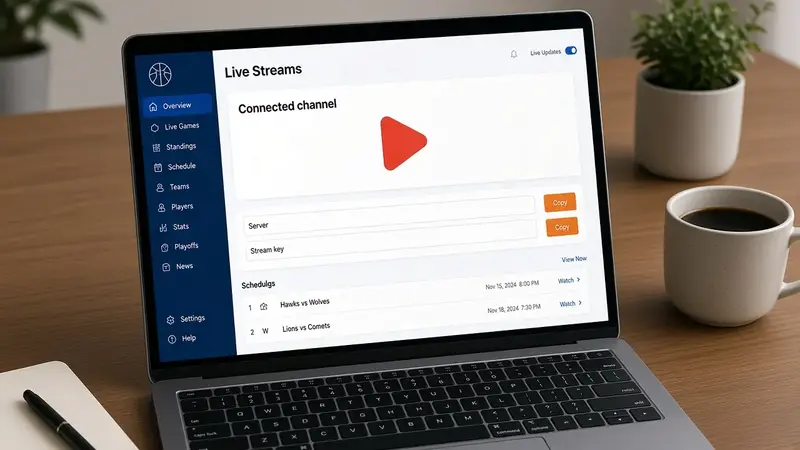
The Reusable Key Mistake
The first version of our YouTube integration followed the “one camera kit, one key” tutorial you see everywhere. On connect we created a single reusable RTMP stream for the tenant. Every new game created a scheduled YouTube broadcast titled Home vs Away and bound that broadcast to the same stream. Branding and the game form showed one server URL and one key. OBS was set once for the season.
That is convenient until the first timeout. The encoder loses the venue network for twenty seconds. YouTube marks the live as stopped. The volunteer hits Start Streaming again with the key that is still pasted in OBS. Studio now shows a second live — untitled, or the next Saturday’s fixture, or a leftover default stream — and the public game page is still embedding the first watch URL. Fans refresh a dead player. The box score and the VOD no longer share a link. The archive is split across two videos nobody will find next week.
We treated a championship as the streaming unit. For a sports league the unit is the scheduled event.
What YouTube Actually Binds
YouTube Live is two objects, not one:
- LiveBroadcast — the event fans watch. It has the title, the scheduled tip-off, privacy, and the
youtube.com/watch?v=id. - LiveStream — the ingest. It has the RTMP server and the stream key OBS actually sends.
Binding says “this encoder pipe belongs to this event.” A reusable stream can be bound to many broadcasts over time, and several upcoming broadcasts can sit on it at once. Auto-start then picks “the current one” when pixels arrive. Auto-stop completes that broadcast when pixels stop. The next pixels on the same key are free to attach to the next bound event or to open a brand-new live. That is why a reconnect looks like a new stream.
A non-reusable stream is created for one broadcast and stays there. The key in OBS is no longer “the league camera.” It is “Aralez vs Hayq on 11 September.” If the laptop drops, the same key can only talk to that event.
Why Sports Leagues Are the Worst Case
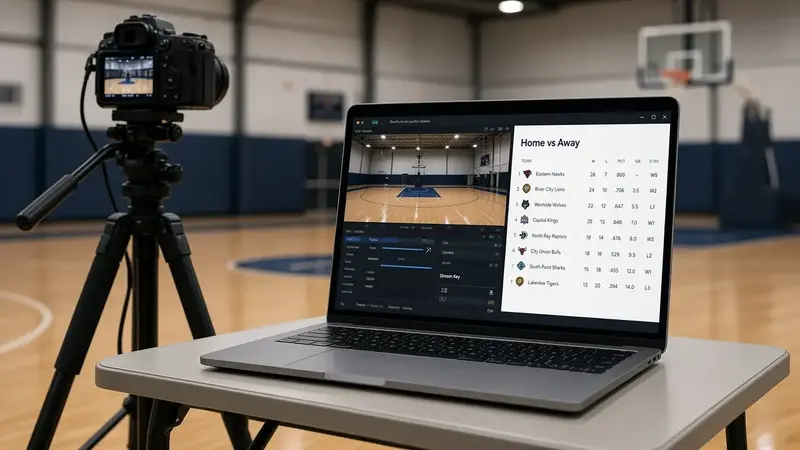
A talking-head webinar can survive a reusable key. One host, one evening, one URL, a stable office network. A basketball league is the opposite:
- You schedule many events on one channel — a Friday triple-header, a Saturday youth block, a playoff the same night.
- Each event has a public page that must keep one watch link: standings, box score, RSVP, overlay, later the VOD.
- The encoder is often a volunteer laptop on venue Wi-Fi or a phone tether. Disconnects are not rare; they are the median Saturday.
- Games run back to back. If the shared key is still hot, YouTube can auto-start the next scheduled fixture while the first overtime is still being filmed.
- Archives matter. Parents search “Team vs Team, 11 September,” not “League Live #14 (2).”
Reusing one key optimizes for the operator’s OBS settings. Unique keys optimize for the thing the league actually sells: one fixture, one broadcast, one URL that stays true after a drop.
Unique Stream Key Per Scheduled Event
The corrected model is boring and correct:
- Connect the league YouTube channel once with Google. That is still per championship, not per game.
- When a scheduled game is saved (and the watch URL is blank), create a YouTube broadcast and a dedicated non-reusable live stream for that fixture.
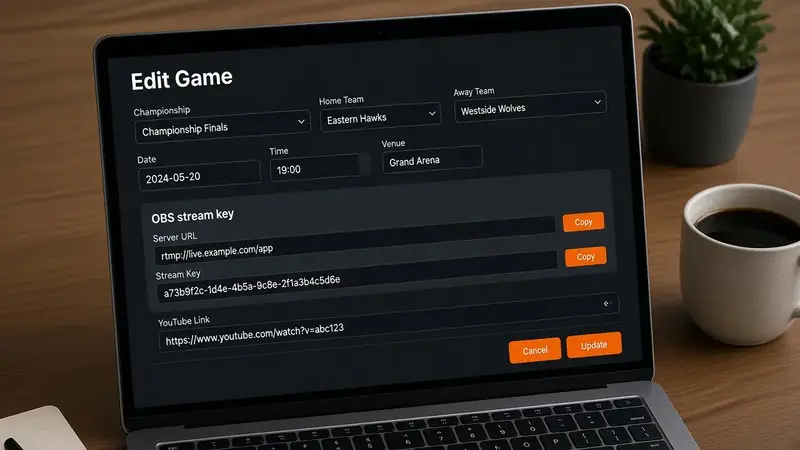
- Bind them 1:1. Store the encrypted key on the game. Show it on that game only.
- OBS gets this game’s server and key before tip-off. After a drop, reconnect with the same pair. Do not click “Go live” on a new event in Studio.
The operational cost is real: you cannot leave last week’s key in OBS for the whole season. For a league that is the right trade. Copying a key from the fixture you are about to film is cheaper than explaining to fans why the stream restarted as a second video and why the embed is black.
Reconnects, Auto-Stop, and the Same Watch URL
Unique keys are necessary and not sufficient. If the broadcast is created with enable auto-stop, YouTube still completes the event when the encoder goes silent. The next connect, even with the same key, cannot resume a finished live. That is the other half of “we see a new stream after the internet blips.”
For scheduled league games we leave auto-start on (going live in OBS should start the bound Home vs Away event) and auto-stop off (a 15-second DHCP renew must not archive the game). When the final buzzer sounds, end the stream from YouTube Studio or by stopping OBS and finishing the live there. The watch URL on the public game page stays the same from schedule, through reconnects, into the VOD.
How League Software Should Model This
If you build sports operations software — or you are choosing a platform — treat streaming the way you already treat the box score:
- The tenant owns the YouTube OAuth grant and the channel.
- The game owns the broadcast id, the watch URL, and the stream key.
- Never put a season-long secret on Branding and tell every fixture to share it.
- Mint the key when the game is created or first opened, and again when it is set live, so the scorer can copy it after Start.
- If the admin pasted their own YouTube link, do not create a second event.
- Cancel only unused scheduled events when a fixture is trashed. Do not delete a live or finished VOD because someone archived the box score.
That mapping is what we run on bbstats.am now. The first design optimized for “set OBS once.” The current design optimizes for “this Saturday’s game is still this Saturday’s URL after the gym router reboots.”
How to Use It on bbstats
- Connect the league channel in admin → Branding → YouTube Live. That step is unchanged.
- Open the scheduled game (or click Stream key on the Games list). Copy that fixture’s server and key into OBS → Settings → Stream → Custom RTMP.
- If the game is already live, the same Stream key button is on the Games row and on the live scoring top bar. Starting a game mints a key if the fixture did not have one yet.
- Leave the YouTube link blank when you create the game so we schedule Home vs Away and write the watch URL onto the public page.
- After a disconnect, start OBS again with the same key. Do not create a new live in YouTube Studio.
The OBS scoreboard overlay is still a Browser Source on top of the camera. The unique key is only the YouTube ingest. Overlays do not replace it.
Frequently Asked Questions
Why did a reconnect create a new YouTube video?
The encoder was sending to a reusable stream that several broadcasts could claim. After auto-stop (or an implicit complete), the next session on that key started a different live. A unique key per game plus auto-stop off keeps the same watch URL.
Can I still use one OBS profile for the whole season?
You can keep one OBS scene collection and one overlay layout. You should not keep one stream key. Change the key when you change the fixture, the same way you change the overlay game id.
Does this apply to football, futsal, or a cup with three games in one gym?
Yes. Any sport that schedules many events on one channel and publishes a per-game watch page has the same failure mode. A triple-header on a shared key is how you accidentally go live on game three during game one’s fourth quarter.
What if I already created the YouTube event in Studio?
Paste that watch URL on the game. We will not invent a second broadcast. You are then responsible for that event’s stream key inside Studio.
Will unique keys make YouTube create more VOD clutter?
No. You get one VOD per fixture, which is what you wanted. The clutter came from the shared key: one planned event plus a surprise second live every time the network hiccuped.
Where do I copy the key after I press Start?
Games → Stream key on that row, or the same button on classic / court live scoring. The scheduled-game edit form is not the only place.
References
- YouTube Live streaming for basketball leagues (original integration guide)
- OBS scoreboard overlay for basketball streams
- bbstats.am public changelog
- Start a league on bbstats.am
- YouTube Help: set up live streaming on your channel
- YouTube Live Streaming API: liveBroadcasts
- YouTube Live Streaming API: liveStreams